概覽 The Pokémon Trading Card Game AI Battle Challenge 這個比賽,簡單來說就是:我們提交一支會打寶可夢卡牌的程式(程式代理/Agent) 。對戰會在一個稱為 CABT 的模擬引擎上執行——這個引擎就是「裁判+牌桌」,負責管規則、發牌、擲硬幣、判勝負。我們的程式只負責「做決定」。
整份指南的目標不是 打造最強代理人,而是更實際的一步:先成功建立一份有效的 submission.tar.gz,並理解過程中牽涉到哪些檔案。 跑出第一份有效提交後,再回頭優化策略。
相關資料 那麼到底要如何開始?首先我們先到官方資料 Data 標籤頁面下載卡表和程式範例。
1
2
3
4
5
6
7
8
9
10
11
12
13
14
15
16
17
18
``` pokemon-tcg-ai-battle/ ├── Card_ID List_EN.pdf ← 卡牌 ID 對照表(PDF) ├── Card_ID List_JP.pdf ← 日文版 ├── EN_Card_Data.csv ← 卡牌完整資料(CSV,程式會用到) ├── JP_Card_Data.csv ← 日文版 └── sample_submission/ ← 最重要!引擎 SDK + 範例 agent ├── cg/ │ ├── __init__.py ← 讓 cg 成為 Python package │ ├── api.py ← 所有型別定義、to_observation_class() │ ├── game.py ← battle_start / battle_select / battle_finish │ ├── sim.py ← ctypes 載入 libcg.so/cg.dll │ ├── utils.py ← 輔助函式 │ ├── libcg.so ← Linux 引擎本體(x86_64) │ └── cg.dll ← Windows 引擎本體 ├── deck.csv ← 範例牌組 └── main .py ← 範例 agent(隨機) ```
我們的目標,就是用 tar -czvf submission.tar.gz * 打包 sample_submission/ 的結構。實務上我們主要只改兩個檔案:修改 deck.csv(構築牌組) ,以及**把策略邏輯寫進 main.py**。
最簡單的程式代理 簡單說,每當需要我們做決定,引擎就會呼叫 agent() ,把盤面資訊通過 obs_dict 給我們,然後我們可以「出牌、附能量、攻擊」回傳「要選哪個動作」,如果這個操作不會結束回合,引擎會持續呼叫我們的 agent() 。我們的程式只負責「做決定」。
下面是官方提供的「隨機亂選」範例代理人。實際上,我們要做的就是把這支的「隨機」換成「聰明的策略」——agent() 本質上是一個反覆被 CABT 引擎呼叫的決策回呼函式。
官方在 Code 頁面還有很多範例可以參考,下面我們先從一個比較完整的範例來學習。
1
2
3
4
5
6
import randomdef agent (obs_dict: dict ) -> list [int ]: return random.sample( list (range (len (obs_dict["select" ]["option" ]))), obs_dict["select" ]["maxCount" ] )
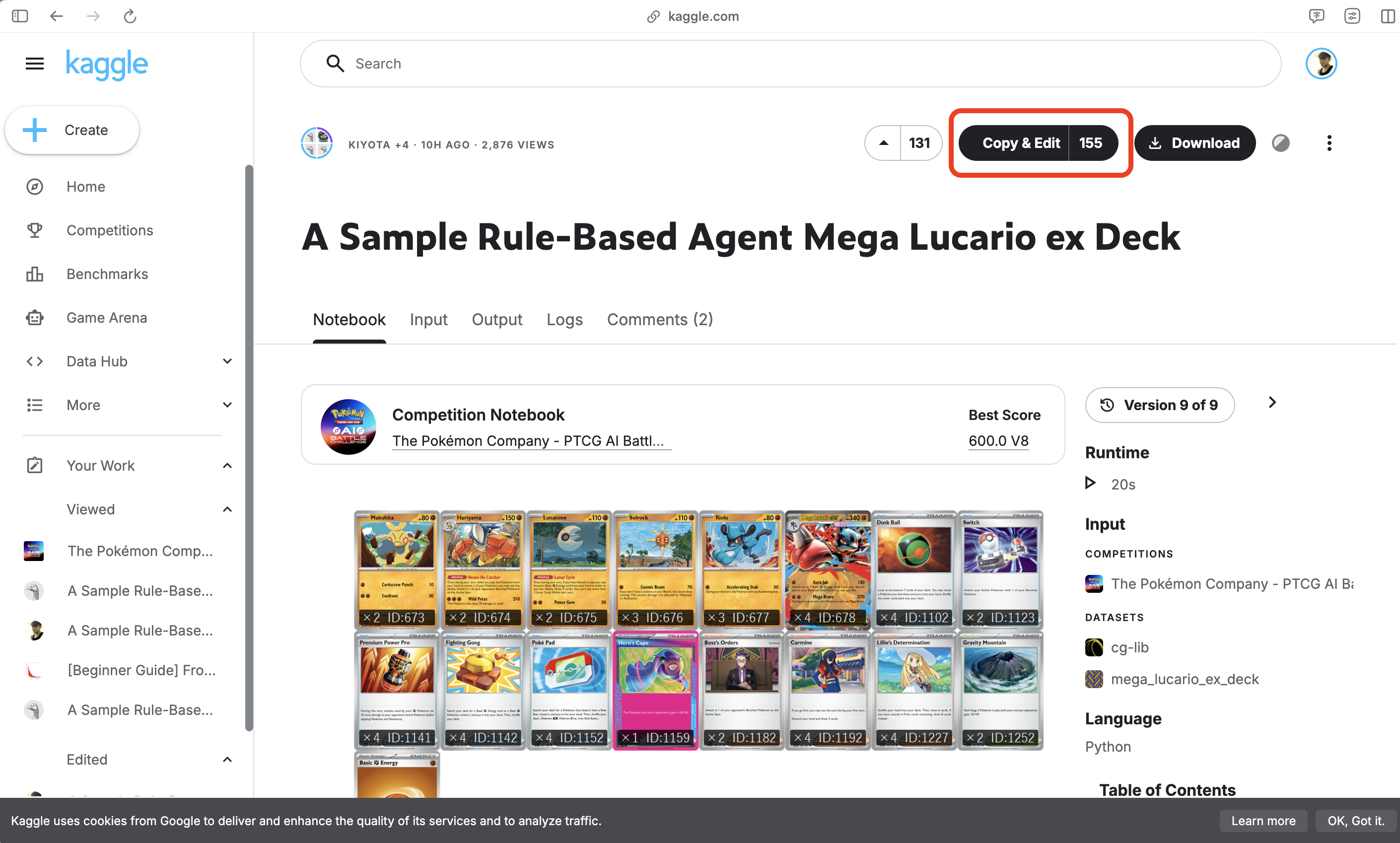
Kaggle 互動式程式筆記本 這份 Notebook 是基於官方範例 Mega 路卡利歐規則型代理人:A Sample Rule-Based Agent: Mega Lucario ex Deck 進行調整。
核心實作大部分沒有改變,主要加入給初學者的說明:
構築牌組是如何被表示的。
deck.csv 如何建立和讀取。/kaggle/input 和 /kaggle/working 底下的檔案是如何被使用的。submission.tar.gz 如何打包。如何從 Kaggle Notebooks 提交作品。
上面的 Notebook 是給 The Pokémon Company - PTCG AI Battle Challenge Simulation 的新手指南。
目標不是建立最強的代理程式。而是:如何建立一份有效的 submission.tar.gz,並理解過程中牽涉到哪些檔案。
一旦完成第一個有效提交的檔案,我們就可以開始優化
構築
rule-based policy 規則型策略(人工寫好的規則決定 AI 如何出牌)
self-play evaluation 自我對戰評估,讓我們的 AI Agent 跟自己、或不同版本的自己對戰很多場,用勝率、平均回合數、得分等指標來評估哪個版本比較強。
reinforcement learning 強化學習,讓 AI 玩很多場遊戲根據行動結果的到獎勵或懲罰,進而學習哪些行動比較好。
MCTS Monte Carlo Tree Search 蒙地卡羅樹搜尋。簡單說,AI 在一個局面下,模擬很多種可能的未來走法,看看哪個行動長期來看勝率比較高。
構築圖片 原本的範例 Notebook 會顯示 Mega 路卡利歐卡表圖片。我們在這裡保留它,因為在查看 Card ID 之前,先看牌組會更容易理解。
這是一場模擬類的競賽。在大部分 Kaggle 競賽中,我們會從 /kaggle/input 讀取 train.csv 和 test.csv ,訓練一個模型,然後提交 submission.csv。而這個競賽不同,我們需要提交一個 agent bundle 代理程式套件。在這份 Notebook 中,/kaggle/input 主要是作為建立這個 bundle (把多個檔案打包在一起)需要的檔案的來源;例如提交檔案的範例,卡牌資料,選用的 deck.csv。
最終我們提交的是一個 submission.tar.gz
對本 Notebook 來說,重要的觀念是:
讀取 /kaggle/input 中既有的檔案
在 /kaggle/working 底下建立提交的檔案
提交 submission.tar.gz
Kaggle Notebook 畫面 右邊的側邊欄很重要。它顯示了:
輸入:可從 /kaggle/input 取得的檔案
輸出:在 /kaggle/working 底下產生的檔案
提交競賽:從編輯器直接提交作品的捷徑
最後,我們的 submission.tar.gz 會在右邊 Output 的 /kaggle/working 目錄下。
構築設定:最簡易方式 對於第一次提交,最簡單的方式就是在 Notebook 寫死 60 張卡牌 ID,然後它們會被寫入 deck.csv。這樣可以避免設定額外的 Kaggle 資料集。
我們也可以直接讀取範例提供的卡表:
1 /kaggle/i nput/datasets/ kiyotah/mega-lucario-ex-deck/ deck.csv
兩種做法都可以。使用寫死的牌組,只是因為比較簡單。之後當你要測試很多構築時,把各個構築儲存成獨立的 deck.csv 檔案會更方便。
1
2
3
4
5
6
7
8
9
10
11
12
13
14
15
16
17
18
19
20
21
22
23
24
25
26
27
28
29
30
31
32
33
34
35
36
37
38
39
40
41
42
43
44
45
46
47
48
49
50
from pathlib import PathUSE_EXTERNAL_DECK_CSV = False EXTERNAL_DECK_CANDIDATES = [ "/kaggle/input/datasets/kiyotah/mega-lucario-ex-deck/deck.csv" , "/kaggle/input/mega-lucario-ex-deck/deck.csv" , ] HARD_CODED_DECK = [ 673 , 673 , 674 , 674 , 675 , 675 , 676 , 676 , 676 , 677 , 677 , 677 , 678 , 678 , 678 , 678 , 1102 , 1102 , 1102 , 1102 , 1123 , 1123 , 1141 , 1141 , 1141 , 1141 , 1142 , 1142 , 1142 , 1142 , 1152 , 1152 , 1152 , 1152 , 1159 , 1182 , 1182 , 1192 , 1192 , 1192 , 1192 , 1227 , 1227 , 1227 , 1227 , 1252 , 1252 , 6 , 6 , 6 , 6 , 6 , 6 , 6 , 6 , 6 , 6 , 6 , 6 , 6 , ] if USE_EXTERNAL_DECK_CSV: deck_path = next ((p for p in EXTERNAL_DECK_CANDIDATES if Path(p).exists()), None ) if deck_path is None : raise FileNotFoundError( "找不到外部 deck.csv。請將 USE_EXTERNAL_DECK_CSV 設為 False,或加入該資料集作為輸入。" ) with open (deck_path, "r" ) as f: deck = [int (x) for x in f.read().splitlines() if x.strip()] deck_source = deck_path else : deck = HARD_CODED_DECK deck_source = "HARD_CODED_DECK" if len (deck) != 60 : raise ValueError(f"一副牌組必須剛好包含 60 張卡,但目前有 {len (deck)} 張。" ) with open ("deck.csv" , "w" ) as f: for card_id in deck: f.write(f"{card_id} \n" ) print ("Deck source:" , deck_source)print ("Deck size:" , len (deck))print ("First 10 Card IDs:" , deck[:10 ])print ("deck.csv written to:" , Path("deck.csv" ).resolve())
deck.csv 是什麼?deck.csv 就只是 60 行卡牌 ID 清單。每一行表示構築中的一張卡牌,這裡並不是使用卡牌名稱。
範例的程式代理會在遊戲開始的時候讀取 deck.csv 。然後當模擬器第一次詢問構築時,程式代理就會回傳這份 60 張卡牌的清單。
1
2
3
4
5
6
7
with open ("deck.csv" , "r" ) as f: deck_lines = f.read().splitlines() print ("Number of lines in deck.csv:" , len (deck_lines))print ("First 10 lines:" )for line in deck_lines[:10 ]: print (line)
範例程式代理中兩類固定值 在這個程式中大概有 2 種寫死的值:
實際 60 張卡牌的 ID
規則型策略中需要的卡牌 ID 常數
在原始的範例程式代理中已經有很多規則邏輯所需要的卡牌 ID 例如 Mega_Lucario_ex = 678。
但這不表示 60 張卡牌 ID 必須得固定。它們可以動態從 deck.csv 讀取,或者是有陣列的方式。對於第一次提交來說,直接在程式碼中用陣列的方式寫死完全沒問題,但隨著需要反覆實驗 deck.csv 會比較容易管理。
撰寫 main.py 下面我們將代理的程式碼寫到 main.py。這份 main.py 就是我們要提交去對戰的「代理 agent 」的進入點(進入點:程式被執行時、最先從哪裡開始跑)。下面程式碼是基於 Mega 路卡利歐 ex 規則型策略範例,它維持讀取 deck.csv,所以上面建立的那個 deck.csv 檔案會被一起包進最終的 submission.tar.gz 裡。
在進一步細讀程式碼之前,我們概略理解一下下面程式碼的作用:
讀取牌組
接收目前遊戲狀態
分析場上、手牌、棄牌區
規劃最佳的攻擊方式
替全部符合規則的操作評分
選擇分數最高的操作
1
2
3
4
5
6
7
8
9
10
11
12
13
14
15
16
17
18
19
20
21
22
23
24
25
26
27
28
29
30
31
32
33
34
35
36
37
38
39
40
41
42
43
44
45
46
47
48
49
50
51
52
53
54
55
56
57
58
59
60
61
62
63
64
65
66
67
68
69
70
71
72
73
74
75
76
77
78
79
80
81
82
83
84
85
86
87
88
89
90
91
92
93
94
95
96
97
98
99
100
101
102
103
104
105
106
107
108
109
110
111
112
113
114
115
116
117
118
119
120
121
122
123
124
125
126
127
128
129
130
131
132
133
134
135
136
137
138
139
140
141
142
143
144
145
146
147
148
149
150
151
152
153
154
155
156
157
158
159
160
161
162
163
164
165
166
167
168
169
170
171
172
173
174
175
176
177
178
179
180
181
182
183
184
185
186
187
188
189
190
191
192
193
194
195
196
197
198
199
200
201
202
203
204
205
206
207
208
209
210
211
212
213
214
215
216
217
218
219
220
221
222
223
224
225
226
227
228
229
230
231
232
233
234
235
236
237
238
239
240
241
242
243
244
245
246
247
248
249
250
251
252
253
254
255
256
257
258
259
260
261
262
263
264
265
266
267
268
269
270
271
272
273
274
275
276
277
278
279
280
281
282
283
284
285
286
287
288
289
290
291
292
293
294
295
296
297
298
299
300
301
302
303
304
305
306
307
308
309
310
311
312
313
314
315
316
317
318
319
320
321
322
323
324
325
326
327
328
329
330
331
332
333
334
335
336
337
338
339
340
341
342
343
344
345
346
347
348
349
350
351
352
353
354
355
356
357
358
359
360
361
362
363
364
365
366
367
368
369
370
371
372
373
374
375
376
377
378
379
380
381
382
383
384
385
386
387
388
389
390
391
392
393
394
395
396
397
398
399
400
401
402
403
404
405
406
407
408
409
410
411
412
413
414
415
416
417
418
419
420
421
422
423
424
425
426
427
428
429
430
431
432
433
434
435
436
437
438
439
440
441
442
443
444
445
446
447
448
449
450
451
452
453
454
455
456
457
458
459
460
461
462
463
464
465
466
467
468
469
470
471
472
473
474
475
476
477
478
479
480
481
482
483
484
485
486
487
488
489
490
491
492
493
494
495
496
497
498
499
500
501
502
503
504
505
506
507
508
509
510
511
512
513
514
515
516
517
518
519
520
521
522
523
524
525
526
527
528
529
530
531
532
533
534
535
536
537
538
539
540
541
542
543
544
545
546
547
548
549
550
551
552
553
554
555
556
557
import osimport sysfrom collections import defaultdictfrom cg.api import AreaType, CardType, EnergyType, Observation, SelectContext, OptionType, Card, Pokemon, all_card_data, to_observation_class""" 超級路卡利歐 ex 構築 等級:中 戰鬥策略為以 Mega 路卡利歐作為主打手,搭配鐵掌力士和太陽岩作為輔助打手進行策略性切換。 """ file_path = "deck.csv" if not os.path.exists(file_path): file_path = "/kaggle_simulations/agent/" + file_path with open (file_path, "r" ) as file: csv = file.read().split("\n" ) my_deck = [] for i in range (60 ): my_deck.append(int (csv[i])) all_cards = all_card_data() card_table = {c.cardId: c for c in all_cards} Makuhita = 673 Hariyama = 674 Lunatone = 675 Solrock = 676 Riolu = 677 Mega_Lucario_ex = 678 Dusk_Ball = 1102 Switch = 1123 Premium_Power_Pro = 1141 Fighting_Gong = 1142 Poke_Pad = 1152 Hero_Cape = 1159 Boss_Orders = 1182 Carmine = 1192 Lillie_Determination = 1227 Gravity_Mountain = 1252 Basic_Fighting_Energy = 6 class AttackPlan : attacker = -1 target = -1 attack_index = -1 remain_hp = -1 energy = False plan = AttackPlan() pre_turn = 0 ability_used = False def get_card (obs: Observation, area: AreaType, index: int , player_index: int ) -> Pokemon | Card | None : """ 輔助函式:從某個區正確的取得卡牌 """ ps = obs.current.players[player_index] match area: case AreaType.DECK: return obs.select.deck[index] case AreaType.HAND: return ps.hand[index] case AreaType.DISCARD: return ps.discard[index] case AreaType.ACTIVE: return ps.active[index] case AreaType.BENCH: return ps.bench[index] case AreaType.PRIZE: return ps.prize[index] case AreaType.STADIUM: return obs.current.stadium[index] case AreaType.LOOKING: return obs.current.looking[index] case _: return None def prize_count (pokemon: Pokemon ) -> int : """ 計算獎賞卡,並把各種修正效果一併納入計算 """ data = card_table[pokemon.id ] count = 3 if data.megaEx else 2 if data.ex else 1 for card in pokemon.energyCards: if card.id == 12 : count -= 1 for card in pokemon.tools: if card.id == 1172 and "Lillie" in data.name: count -= 1 return max (0 , count) def pokemon_score (pokemon: Pokemon ) -> int : """ 用人工訂的經驗規則去估算,評估鎖定對手場上某一隻特定寶可夢的戰術價值。 打掉這隻有多划算 / 多值得。分數越高代表越該優先處理。 """ data = card_table[pokemon.id ] score = prize_count(pokemon) * 1000 score += len (pokemon.energies) * 150 score += len (pokemon.tools) * 100 if data.stage2: score += 250 elif data.stage1: score += 130 id = pokemon.id if id == 144 or id == 322 or id == 323 or id == 337 : score -= 200 if id == 112 and len (pokemon.energies) >= 1 : score += 300 score += pokemon.hp return score def agent (obs_dict: dict ) -> list [int ]: """ CABT 的主要決策函式。它接收目前遊戲狀態的字典,把字典轉成較方便操作的 Observation 物件,最後必須回傳合法選項在 obs.select.option 中的索引清單,並且元素須 >= 0 小於 len(obs.select.option) 清單的長度必須介於 obs.select.minCount 和 obs.select.maxCount 之間(包含上下限),而且不能包含重複的元素。 """ obs = to_observation_class(obs_dict) if obs.select == None : return my_deck state = obs.current select = obs.select context = select.context my_index = state.yourIndex my_state = state.players[my_index] op_state = state.players[1 - my_index] my_prize = len (my_state.prize) global plan global pre_turn global ability_used if pre_turn != state.turn: pre_turn = state.turn plan = AttackPlan() ability_used = False field_counts = defaultdict(int ) hand_counts = defaultdict(int ) discard_counts = defaultdict(int ) attacker1 = False attacker2 = False for card in my_state.active + my_state.bench: if card == None : continue field_counts[card.id ] += 1 if card.id == Makuhita or card.id == Hariyama: if len (card.energies) >= 3 : attacker2 = True elif card.id == Riolu or card.id == Mega_Lucario_ex: if len (card.energies) >= 2 : attacker1 = True for card in my_state.hand: hand_counts[card.id ] += 1 for card in my_state.discard: discard_counts[card.id ] += 1 stadium_id = 0 for card in state.stadium: stadium_id = card.id can_attack = False if context == SelectContext.MAIN: can_switch = False can_op_switch = False can_use_mega_brave = False for o in select.option: if o.type == OptionType.PLAY: card = get_card(obs, AreaType.HAND, o.index, my_index) if card.id == Switch: can_switch = True elif card.id == Boss_Orders: can_op_switch = True elif o.type == OptionType.EVOLVE: card = get_card(obs, AreaType.HAND, o.index, my_index) if card.id == Hariyama: can_op_switch = True elif o.type == OptionType.RETREAT: can_switch = True elif o.type == OptionType.ATTACK: can_attack = True if o.attackId == 983 : can_use_mega_brave = True my_cards = [my_state.active[0 ]] for pokemon in my_state.bench: my_cards.append(pokemon) op_cards = [op_state.active[0 ]] for pokemon in op_state.bench: op_cards.append(pokemon) if state.turn >= 2 : best_score = -1 for i, my_pokemon in enumerate (my_cards): if i != 0 and not can_switch: break for a in range (2 ): energy_required = 0 base_damage = 0 base_score = 0 if my_pokemon.id == Mega_Lucario_ex: if a == 0 : energy_required = 1 base_damage = 130 base_score += 60 * min (3 , discard_counts[Basic_Fighting_Energy]) else : energy_required = 2 base_damage = 270 if my_prize == 2 or my_prize == 3 : base_score -= 500 elif a == 1 : break elif my_pokemon.id == Hariyama: energy_required = 3 base_damage = 210 elif my_pokemon.id == Makuhita: for o in select.option: if o.type == OptionType.EVOLVE: index = o.inPlayIndex if o.inPlayArea == AreaType.BENCH: index += 1 if index == i: break else : break base_score -= 100 energy_required = 3 base_damage = 210 elif my_pokemon.id == Solrock: if field_counts[Lunatone] >= 1 : energy_required = 1 base_damage = 70 if base_damage <= 0 : continue more_energy = False energy_count = len (my_pokemon.energies) if a == 1 and i == 0 and energy_count >= 2 and not can_use_mega_brave: break if energy_count < energy_required: if hand_counts[Basic_Fighting_Energy] >= 1 and not state.energyAttached: energy_count += 1 if energy_count < energy_required: continue else : more_energy = True else continue for j, op_pokemon in enumerate (op_cards): if j != 0 and not can_op_switch: break damage = base_damage data = card_table[op_pokemon.id ] if data.weakness == EnergyType.FIGHTING: damage *= 2 elif data.resistance == EnergyType.FIGHTING: damage -= 30 prize = 0 score = pokemon_score(op_pokemon) if op_pokemon.hp <= damage: prize = prize_count(op_pokemon) else : score *= damage / op_pokemon.hp score += base_score if len (op_state.prize) <= prize: score = 50000 if i == 0 : score += 220 if j == 0 : score += 300 score += energy_count if best_score < score: best_score = score plan.attacker = i plan.target = j plan.attack_index = a plan.remain_hp = op_pokemon.hp - damage plan.energy = more_energy def energy_score (pokemon: Pokemon, active: bool ) -> int : energy_count = len (pokemon.energies) score = 8000 if active: score += 10 if pokemon.id == Makuhita or pokemon.id == Hariyama: if pokemon.id == Hariyama: score += 1 if energy_count < 3 : score += 100 if attacker2: score -= 50 elif pokemon.id == Lunatone: score -= 100 elif pokemon.id == Solrock: if energy_count < 1 : score += 20 else : score -= 100 elif pokemon.id == Riolu or pokemon.id == Mega_Lucario_ex: if pokemon.id == Mega_Lucario_ex: score += 1 if energy_count < 2 : score += 100 if attacker1: score -= 50 return score scores = [] for o in select.option: score = 0 if o.type == OptionType.NUMBER: score = o.number elif o.type == OptionType.YES: score = 1 elif o.type == OptionType.CARD: card = get_card(obs, o.area, o.index, o.playerIndex) if card != None : energy_count = 0 if isinstance (card, Pokemon): energy_count = len (card.energies) if context == SelectContext.SWITCH or context == SelectContext.TO_ACTIVE: if o.playerIndex == my_index: score += energy_count * 2 if o.index == plan.attacker - 1 : score += 100 if card.id == Mega_Lucario_ex: if my_prize == 2 or my_prize == 3 : score += 8 else : score += 20 elif card.id == Hariyama and energy_count >= 2 : score += 15 elif card.id == Makuhita and energy_count >= 2 : score += 10 elif card.id == Solrock: score += 5 elif card.id == Riolu: score += 4 else : if o.index == plan.target - 1 : score += 100 elif context == SelectContext.SETUP_ACTIVE_POKEMON: if card.id == Solrock: if state.firstPlayer == my_index: score = 2 else : score = 4 elif card.id == Riolu: score = 3 elif card.id == Makuhita: score = 1 elif context == SelectContext.TO_HAND: score = 200 - hand_counts[card.id ] * 100 if card.id == Makuhita: if field_counts[card.id ] >= 1 : score -= 10 else : score += 10 elif card.id == Hariyama: if field_counts[Makuhita] >= 1 : score += 20 else : score -= 20 elif card.id == Lunatone: if field_counts[card.id ] >= 1 : score -= 250 else : score += 60 elif card.id == Solrock: if field_counts[card.id ] >= 1 : score -= 250 else : score += 50 elif card.id == Riolu: if field_counts[card.id ] + field_counts[Mega_Lucario_ex] >= 2 : score -= 150 elif field_counts[card.id ] + field_counts[Mega_Lucario_ex] >= 1 : score -= 3 else : score += 40 elif card.id == Mega_Lucario_ex: if field_counts[Riolu] >= 1 : score += 40 else : score -= 15 elif card.id == Basic_Fighting_Energy: if not ability_used or not state.energyAttached: score += 30 else : score -= 1 elif context == SelectContext.ATTACH_FROM: score = energy_score(card, o.area == AreaType.ACTIVE) elif o.type == OptionType.PLAY: card = get_card(obs, AreaType.HAND, o.index, my_index) data = card_table[card.id ] if data.cardType == CardType.POKEMON: score = 20000 if card.id == Lunatone or card.id == Solrock: if field_counts[card.id ] >= 1 : score = -1 elif card.id == Riolu: if field_counts[card.id ] + field_counts[Mega_Lucario_ex] >= 2 : score = -1 else : if card.id == Switch: if plan.attacker <= 0 : score = -1 else : score = 6000 elif card.id == Premium_Power_Pro: if state.supporterPlayed and plan.remain_hp <= 0 : score = -1 elif not can_attack: if not state.supporterPlayed and hand_counts[Carmine] > 0 and hand_counts[Lillie_Determination] == 0 : score = 3050 else : score = -1 else : score = 5000 elif card.id == Boss_Orders: if plan.target >= 1 : score = 3200 else : score = -1 elif card.id == Carmine: score = 3000 elif card.id == Lillie_Determination: score = 3100 elif card.id == Gravity_Mountain: if stadium_id == 0 : score = -1 elif o.type == OptionType.ATTACH: card = get_card(obs, AreaType.HAND, o.index, my_index) pokemon = get_card(obs, o.inPlayArea, o.inPlayIndex, my_index) if card.id == Hero_Cape: score = 7000 if pokemon.id == Riolu: score += 100 elif pokemon.id == Mega_Lucario_ex: score += 200 else : score = energy_score(pokemon, o.inPlayArea == AreaType.ACTIVE) if o.inPlayArea == AreaType.ACTIVE: if plan.attacker == 0 and plan.energy: score += 200 else : if plan.attacker == 1 + o.inPlayIndex and plan.energy: score += 200 elif o.type == OptionType.EVOLVE: pokemon = get_card(obs, o.inPlayArea, o.inPlayIndex, my_index) score = 9000 + len (pokemon.energies) if pokemon.id == Makuhita and plan.target == 0 : score = -1 elif o.type == OptionType.ABILITY: card = get_card(obs, o.area, o.index, my_index) if card.id == 1267 : score = 1 else : score = 30000 elif o.type == OptionType.RETREAT: if plan.attacker >= 1 : score = 2000 else : score = -1 elif o.type == OptionType.ATTACK: score = 1000 if plan.attack_index == 1 : if o.attackId == 983 : score += 100 else : if o.attackId != 983 : score += 100 scores.append(score) desc_indices = [i for i, _ in sorted (enumerate (scores), key=lambda x: x[1 ], reverse=True )] if context == SelectContext.MAIN: o = select.option[desc_indices[0 ]] if o.type == OptionType.ABILITY: card = get_card(obs, o.area, o.index, my_index) if card.id == Lunatone: ability_used = True return desc_indices[:select.maxCount]
context 情境速查表
context
何時出現
obs.select == None開局,要你交牌組
SETUP_ACTIVE_POKEMON開局擺第一隻前排
MAIN主回合,自由行動
SWITCH / TO_ACTIVE被擊倒或交替,要選誰上戰鬥場
TO_HAND搜尋效果,選哪張卡進手牌
ATTACH_FROM選從哪裡附能量
動作分數量級表(幫你看懂為何數字差這麼多)
動作
基準分
含意
使用特性 ABILITY
30000
最優先(通常免費又有利)
出寶可夢
20000
鋪場重要
出訓練家卡
10000
次之
進化
9000
附能量/道具
7000~8000
攻擊
1000
通常放回合最後
-1否決
別做這個動作
cg/ 目錄cg/ 目錄可以從 PTCG AI Battle Challenge Simulation > Data 頁面右側下方下載的 sample_submission 取得。一般來說,我們不需要變更這個目錄下的檔案。範例的代理程式會從 cg.api 匯入支援的功能是主辦方提供的模擬器函式庫,所以最終我們的壓縮檔必須要把 cg/ 、 main.py和 deck.csv 一起打包。
建置 submission.tar.gz 最終我們要提交的壓縮檔裡面的檔案結構如下:
1 2 3 4 submission.tar .gz ├── main .py ├── deck.csv └── cg/
然後到該目錄下:
1
2
$ cd [YOUR_FOLDER] $ tar -czvf submission.tar.gz *
上面我們說到打包要包含 cg/ 目錄,這個 cg/ 目錄會在 Kaggle 上的 /kaggle/input 輸入區底下,但它的確切位置不一定固定。下面程式碼會到 Kaggle 輸入區常見的幾個路徑尋找。一般你可以在官方提供的範提交檔案 sample_submission/ 底下找到。
1
2
3
4
5
6
7
8
9
10
11
12
13
14
15
16
17
18
19
20
21
22
23
24
25
26
27
28
29
30
31
32
33
34
35
36
import glob import osimport tarfile from pathlib import PathCG_CANDIDATES = [ "/kaggle/input/competitions/pokemon-tcg-ai-battle/sample_submission/cg" , "/kaggle/input/**/sample_submission/cg" , "/kaggle/input/**/cg-lib/cg" , "/kaggle/input/**/cg" , ] cg_path = None for pattern in CG_CANDIDATES: matches = glob.glob(pattern, recursive=True ) matches = [m for m in matches if os.path.isdir(m)] if matches: cg_path = matches[0 ] break if cg_path is None : raise FileNotFoundError("查無 cg 資料夾。請檢查競賽的輸入檔案(competition input)或範例提交檔(sample submission files)。" ) required_files = ["main.py" , "deck.csv" ] for file_name in required_files: if not os.path.exists(file_name): raise FileNotFoundError(f"找不到必要檔案: {file_name} " ) with tarfile.open ("submission.tar.gz" , "w:gz" ) as tar: tar.add("main.py" , arcname="main.py" ) tar.add("deck.csv" , arcname="deck.csv" ) tar.add(cg_path, arcname="cg" ) print ("cg folder:" , cg_path)print ("Created:" , Path("submission.tar.gz" ).resolve())
提交前檢查壓縮檔 重點在於 main.py 必須位於壓縮檔的最上層,而不是被包在某個多出來的資料夾裡。
1
2
3
4
5
6
7
import tarfilewith tarfile.open ("submission.tar.gz" , "r:gz" ) as tar: names = tar.getnames() for name in names: print (name)
提交 方法 1:直接從編輯器提交 你可以直接從 Notebook 編輯器按 Submit 。這是最快的方式。
但要注意:一按下去就用掉一次提交額度 。畫面上 Submit 旁會顯示額度,如 0 / 5 used。點下 Submit 後 Kaggle 會跳出確認框,並告知這次提交會儲存一個新版本。
官方規則提醒:每隊每天最多 5 次 提交,且最終評分只追蹤最新 2 次 提交。所以別浪費額度在沒驗證過的版本上。
上面這個方法適合在你的 Notebook 已經穩定之後使用。
方法 2:先 Save Version 跑完,確認 Output 再提交(建議新手用) 對於初學者建議使用這個方式。這個方式多了一個步驟,但是相對容易除錯,因為我們先執行了整個 Notebook 然後檢查 output 確認沒有問題在提交。
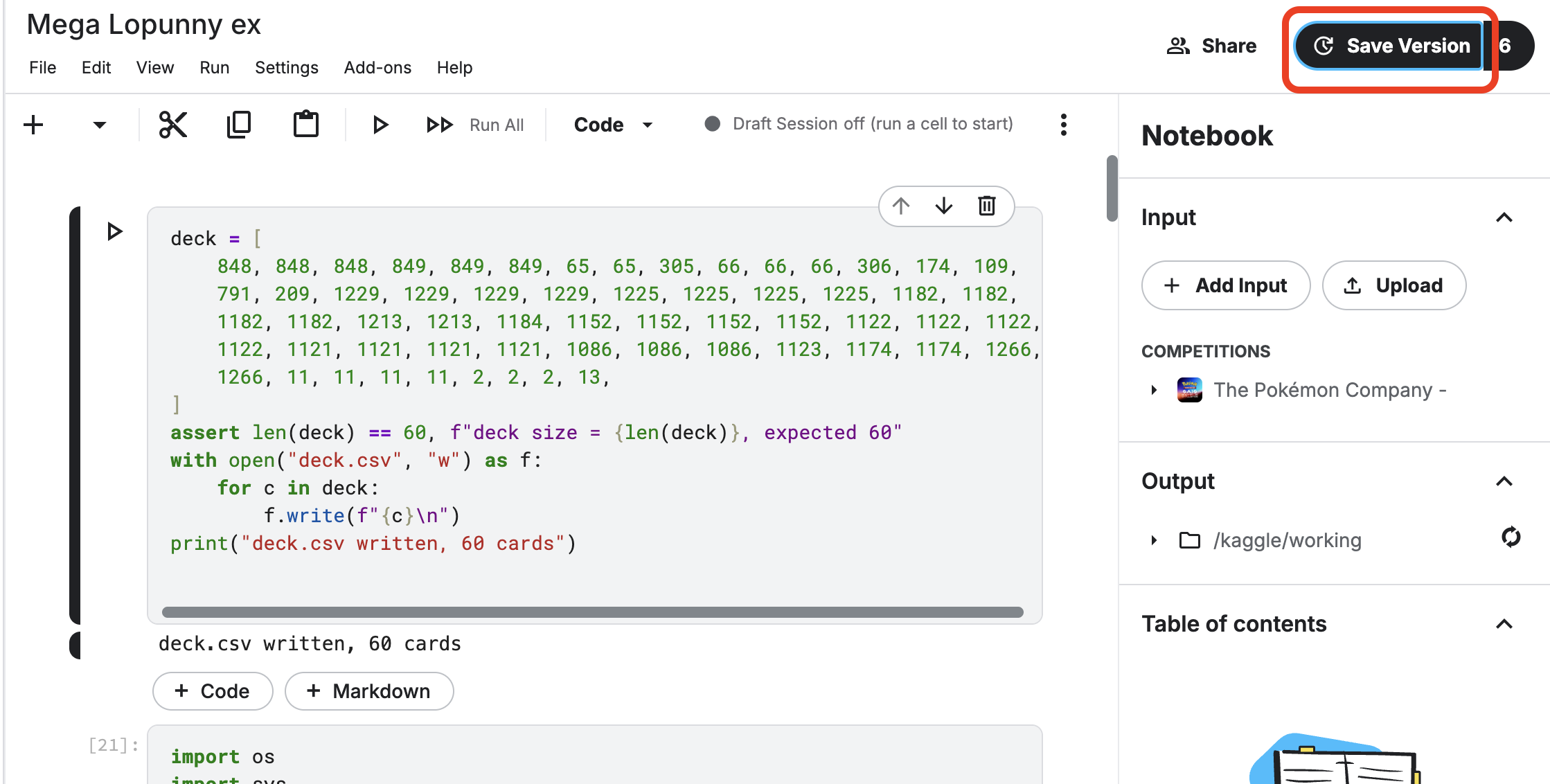
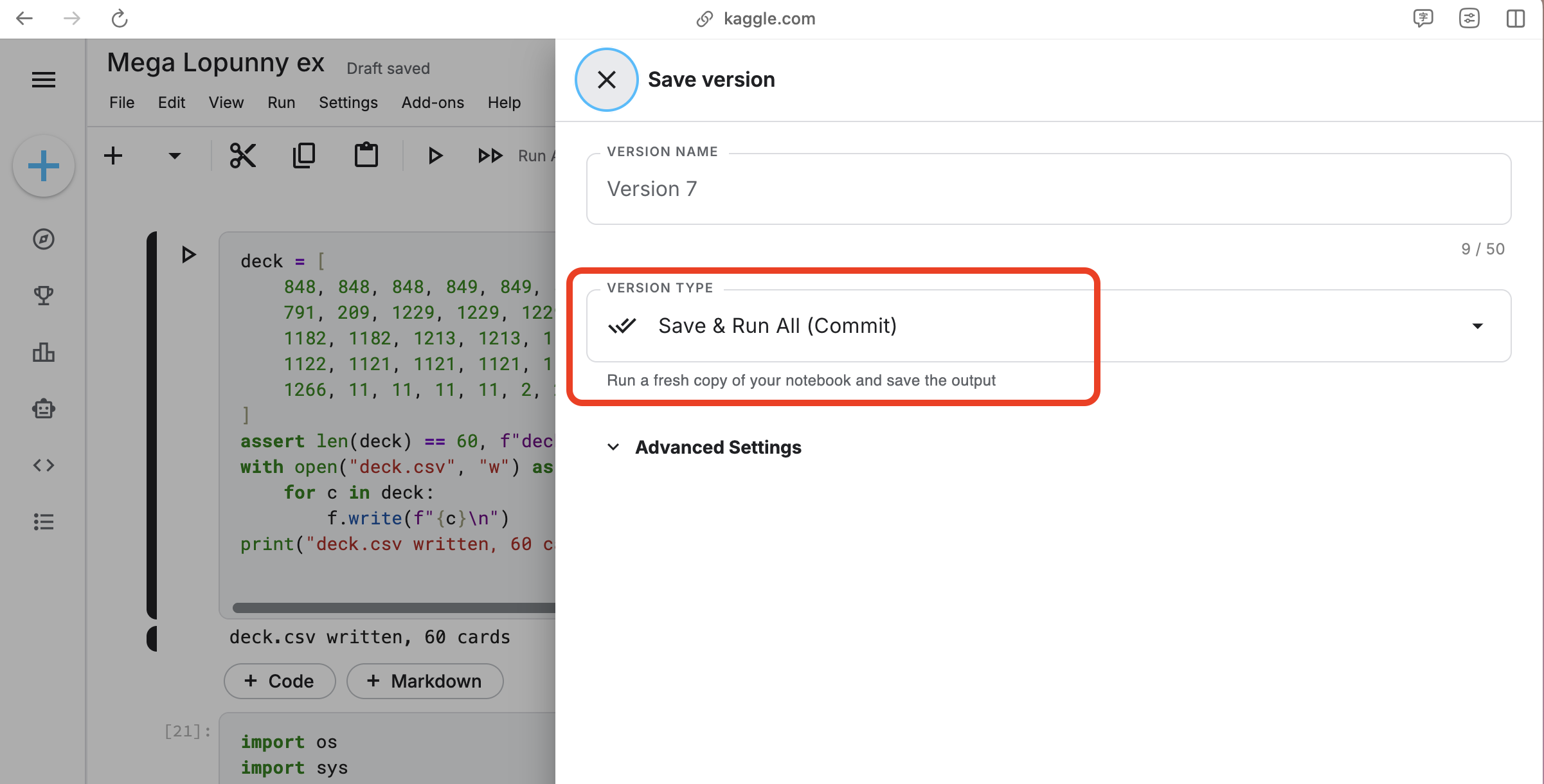
首先,我們先「Save Version」然後選擇「Save & Run All (Commit)」
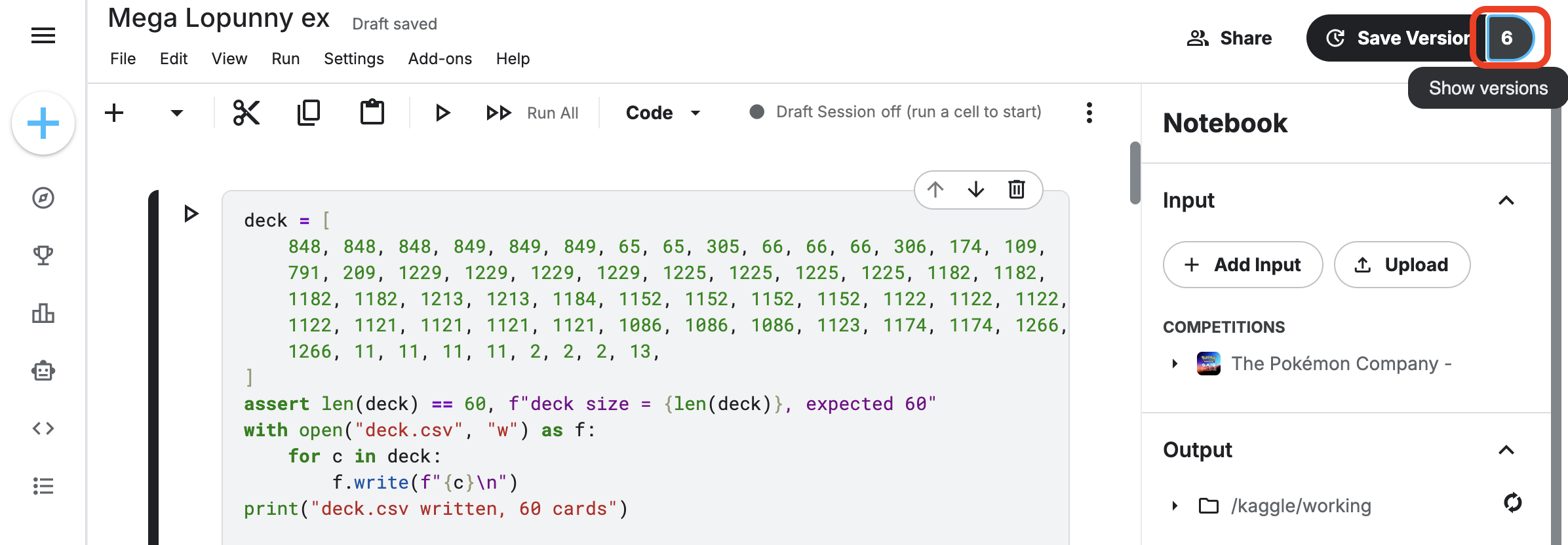
接著,等儲存完畢的時候,我們可以點擊版本那個數字「Show Version」
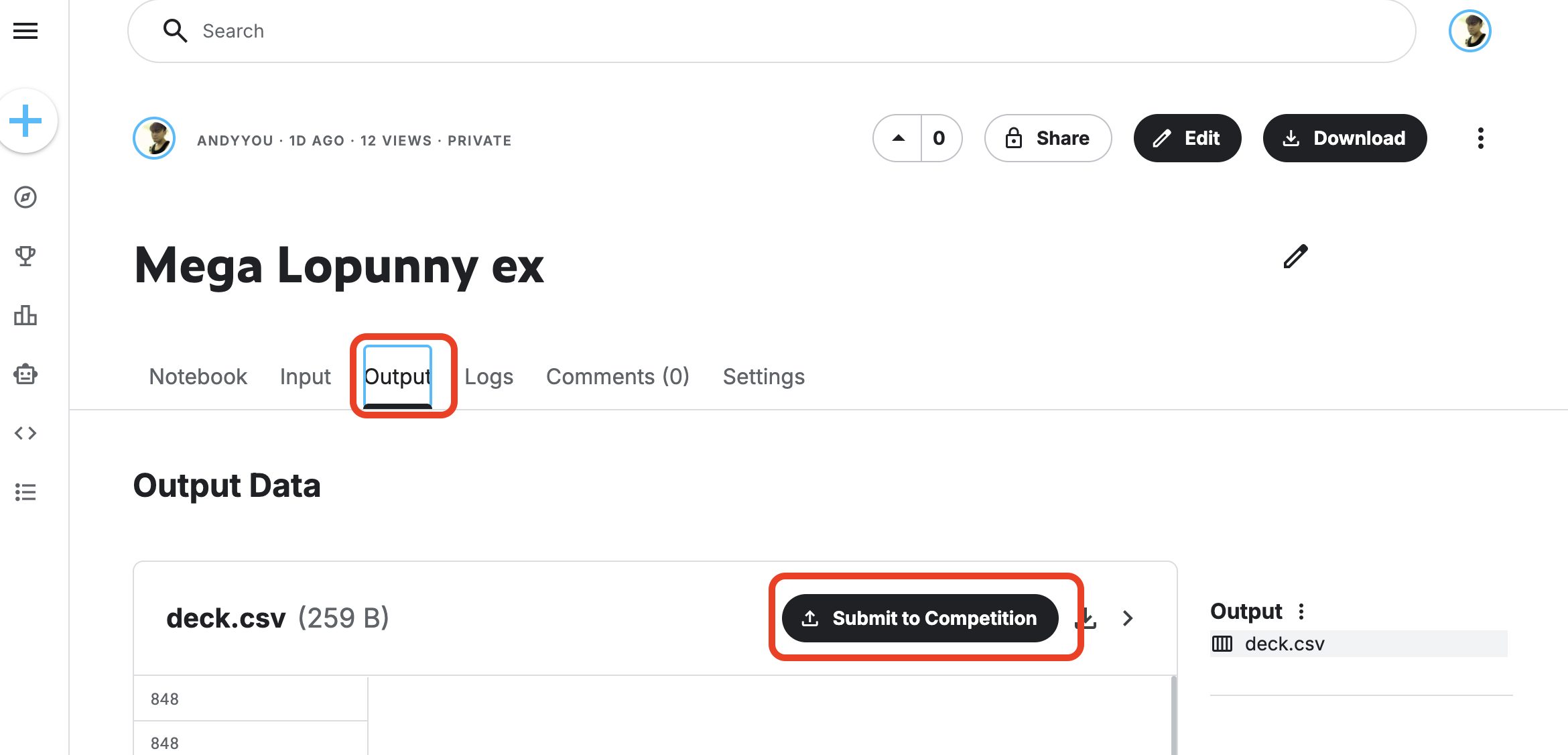
然後點擊指定版本旁邊的「…」就可以查看日誌「Log」和檢查「Output」,在「Output」頁面也可以提交。其實很多地方都有提交按鈕。
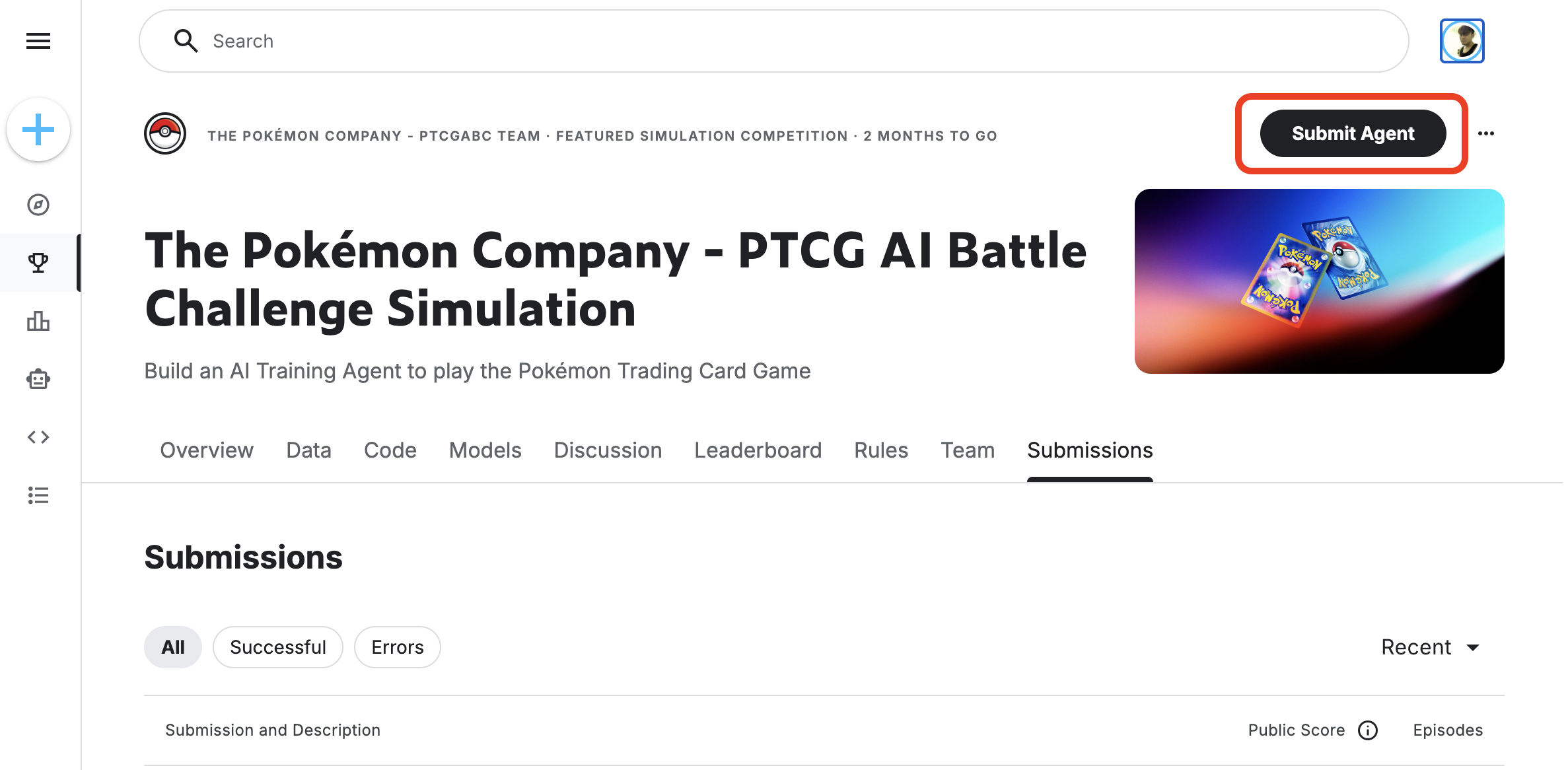
其實很多地方都有提交按鈕:版本選單、Output 頁、競賽首頁的 Submit Agent 都可以。
這裡紀錄一個簡潔的執行步驟
Save Version -> Save & Run All
等待儲存完成
Go to Viewer
點擊「Output」
提交
對於第一次使用 Kaggle 的參賽者我們不需要全盤都理解,第一步是知道如何提交一個正確的檔案,然後我們可以持續改善它。